
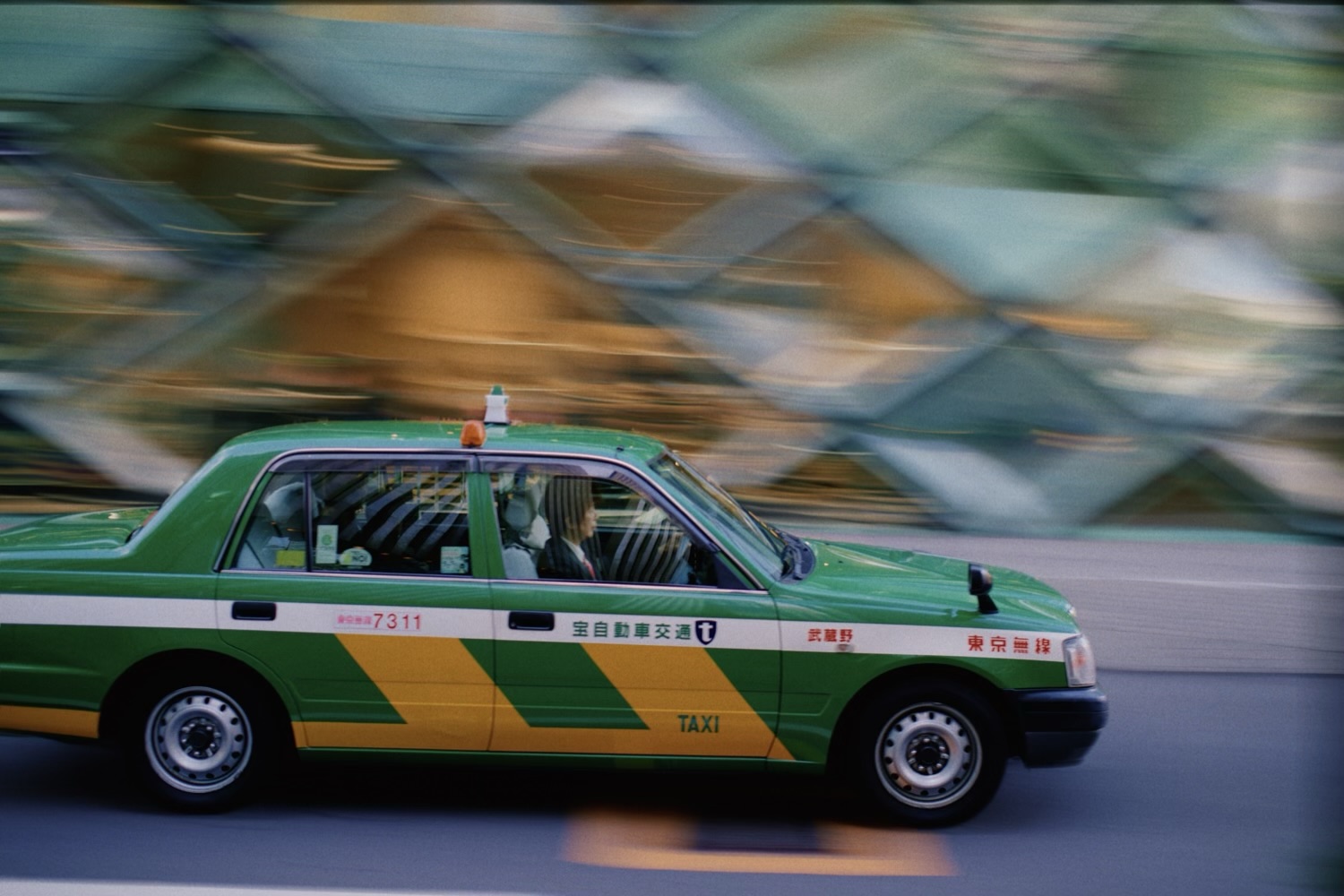
Motion Blur
Smears the frame as if the camera moved during a long exposure: Directional pans in one direction, Radial zooms toward a center, Spin turns around it. Drag the center on the photo; a double-tap puts it back in the middle.
On its own it blurs everything. Add a mask to keep part of the photo sharp: Subject keeps the subject sharp so the background streaks past it – the panning shot – and Background keeps the scene sharp while the subject moves. Circular sits on the center, with handles for its size and shape; Brush is whatever you paint. The eye shows the mask over the photo, and the invert button flips it, so only what the mask covers streaks – a wheel spinning inside a circle.
Motion Blur is the amount. On Directional, Direction is the angle of the movement, with zero a horizontal pan, and Curve bends the streaks into an arc. Feather Mask softens the mask’s edge, and Edge Expand grows or shrinks the mask first – for when streaks creep onto the subject, or a rim of background stays sharp with it.
It works best on photos that already suggest movement: a car, a bike, someone mid-stride.